
No edit summary Tag: Manual revert |
No edit summary |
||
| Line 1: | Line 1: | ||
{{Documentation}} | {{Documentation}} | ||
<includeonly><onlyinclude> | <includeonly><onlyinclude> | ||
<div class="box {{{color|blue}}}" style="float:{{{float|right}}};{{#ifeq:{{{float|right}}}|right|margin-left:15px|margin-right:15px}};"> | <div class="box {{{color|blue}}}" style="float:{{{float|right}}};{{#ifeq:{{{float|right}}}|right|margin-left:15px|margin-right:15px;padding-left:15 px;}};"> | ||
<div class="iconbox {{{color|blue}}}">[[File:icon-image.svg|50px|link=]]</div> | <div class="iconbox {{{color|blue}}}">[[File:icon-image.svg|50px|link=]]</div> | ||
<div class="{{{color|blue}}}" style="position: relative; left: 0px; top: -43px; margin-bottom: -38px;">[[File:{{{1|}}}| {{{width|300px}}}|frameless|link=]]</div></div></onlyinclude></includeonly> | <div class="{{{color|blue}}}" style="position: relative; left: 0px; top: -43px; margin-bottom: -38px;">[[File:{{{1|}}}| {{{width|300px}}}|frameless|link=]]</div></div></onlyinclude></includeonly> | ||
Revision as of 10:00, 11 April 2023

Template:Imagebox is a variation of Template:Box. It generates image slideshows with an icon in the upper left corner.
Usage
It accepts one mandatory string parameter and three optional parameters.
1is a semi-colon delimited list of the image files to be included in the box.width(defaults to300px)color(default:blue) controls the color of the background. The valid options are:
red
green
blue
yellow
purple
cyan
gray
white
Return
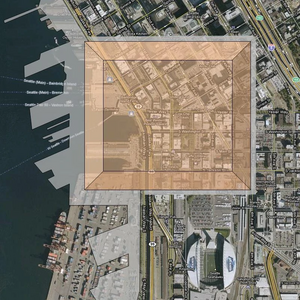
{{Imagebox|Scire-footprint-overlay.webp|float=left}} returns the image box on the left.
{{Imagebox|shirayuri-jacket-p.png; shirayuri-jumpsuit-p.png; shirayuri-student_violinist-p.png|color=yellow}} returns the box on the right: 

The documentation above was transcluded from Template:Imagebox/Documentation. [edit]