Revision as of 18:01, 5 February 2024 by Arcology Expert Program (talk | contribs)
Hero Forge is the preferred source for all character portraits and tokens for use in Foundry. It allows for a consistent across across non-player and player characters alike.
Hero Forge Skin Tones
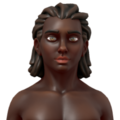
H6
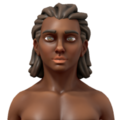
H5
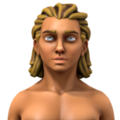
H4
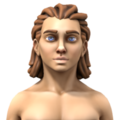
H3
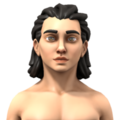
H2
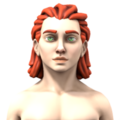
H1


File Names
Filenames for generic tokens take the form of:
[base]-[tag]-[meta][gender]-[skin]-[clothes]-[tag]-t.png
| Color | Code |
|---|---|
r | Red |
o | Orange |
y | Yellow |
g | Green |
u | Blue |
v | Violet |
k | Black |
b | Brown |
w | White |
p | Pink |
e | Grey |
- [base] is a general description, describing the general use of the token, something like
casual,convict, orcutter. - [meta] is the character's metatype:
hfor human,dfor dwarf,efor elf,ofor ork,tfor troll, orxfor none-of-the-above. - [gender] is the character's gender:
mfor male,ffor female,ofor other,xfor none. - [skin] describe the character's skin tone, generally a two-letter code from the list to the right.
- [clothes] is another two-letter code, using the values below. Generally speaking, the first letter is the primary or upper-body color and the second is the secondary or lower-body color.
- [tag] is optional in either position (drop the extra hyphen when unused), but available for disambiguation if needed. If using more than one word, separate them with an underscore, not a space.
Hair Color
The jury is still out, but users on one of the Hero Forge Facebook groups suggest the appearance of hair can be improved with these settings:
- 55% Roughness
- 15% Fuzz
- 40% Metal High
- 30% Metal Mid
- 20% Metal Low
The idea is to more accurately reflect the sheen of human hair and how it interacts with light.